• About
  • Advertise
  • Our Privacy Policy
  • Contact
Thursday, March 5, 2026
No Result
View All Result
  • Login
  • Register
MetrowatchXtra
  • WORLD
  • BUSINESS
  • POLITICS
  • HEALTH
  • SPORTS
  • OP-ED
  • ENTERTAINMENT
  • WORLD
  • BUSINESS
  • POLITICS
  • HEALTH
  • SPORTS
  • OP-ED
  • ENTERTAINMENT
No Result
View All Result
MetrowatchXtra
No Result
View All Result
Home Latest News

NIN-SIM: 8 Unique Ways to Retrieve your Barred Mobile Phone Numbers | METROWATCH

Seyi Babalola by Seyi Babalola
March 6, 2024
0 0
0
nin

The Nigerian Communications Commission has said that the over 40 million telephone lines barred after failing to link to the National Identity Numbers face the risk of being forfeited soon.

The NCC’s Director of Public Affairs, Reuben Mouka, disclosed this on Tuesday in an interview

According to him, the telephone lines barred by their telecommunication operators have breached the February 28, 2024, deadline issued by the commission mandating telecom customers to link their Subscriber Identity Modules (SIMs) to their NIN.

He said, “If the barred lines are not acted upon in the next 180 days. They won’t be able to receive calls but will only be able to text and make calls. But after the stipulated days, they would be barred from making calls too and they might forfeit their lines to their respective service provider within 365 days.”

READ ALSO  January Transfer Window: 6 Shocking Movements on Deadline Day

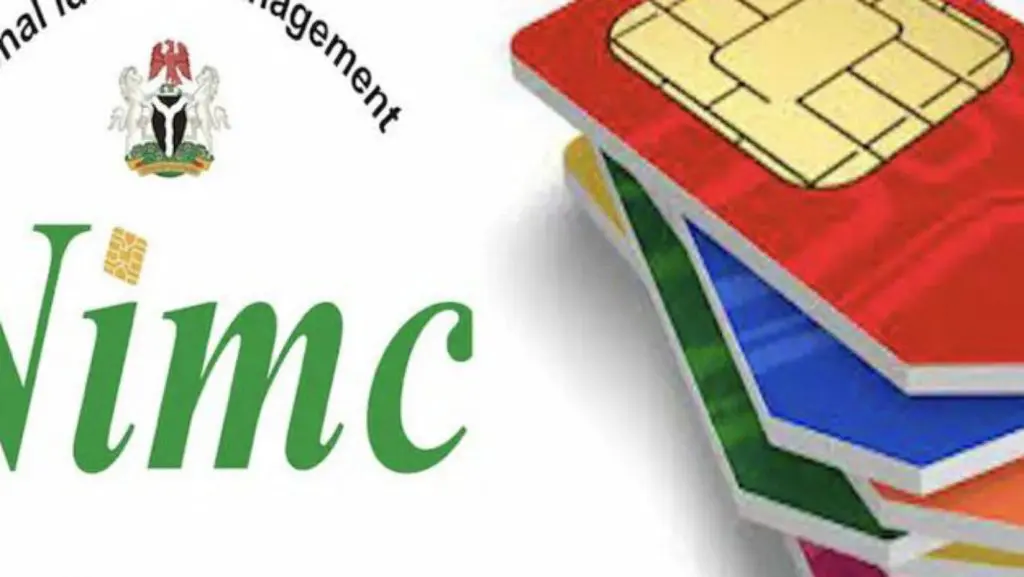
However to unbar your phone lines, here are the processes of the retrieval as explained by the NCC’s Director of Publicity.

1. For subscribers that have not registered for their NIN, get your SIM registered at accredited centres across the country.

2. Then link the NIN with your SIM through channels provided by your service provider.

3. For subscribers with registered NINs, simply visit your service provider centre and present the NIN or link your SIM through channels provided by your service providers.

4. But if you have NIN but it was forgotten, retrieve your NIN conveniently using your mobile phone by dialling *346# to get the number.

5. From the options displayed, select “NIN Retrieval”, by typing in ‘1’, if you are using the same phone number you enrolled with for your NIN.

6. Follow the steps displayed on your screen and provide the required inputs.

READ ALSO  NBS: Life Expectancy Rate Increased in 2015 to 2022 | METROWATCH

7. Note that using this service attracts a N20 fee only (deducted from your phone airtime balance).

8. However, the four Mobile Network Operators in the country have designated certain USSD codes for seamless and quick linkage of your NIN and your SIM cards. They are as follows:
a. For MTN Customers
Dial *785# using the phone number you wish to link, enter your NIN and submit or dial *785*Your NIN# from the phone number you wish to link. The number will be linked to your NIN automatically.

b. For Glo Customers
Simply send “UPDATENIN NIN FirstName and LastName” to 109.

c. For Airtel Customers
Just dial *121*1# now to link.

d. For 9Mobile Customers
Dial *200*8# and follow the prompts on your phone screen.


Text except headline courtesy of Punch

Tags: Nigerian Communications CommissionNINReuben MoukaSIM
Seyi Babalola

Seyi Babalola

Experienced Communications Expert and Journalist with an excellent track record of overseeing every aspect of news publishing from research, news collection/sourcing, editing and distribution. Adept at planning and implementing strategic initiatives across PR, broadcast and digital marketing to attract the target audience. Versatile and proactive individual with interest in public relations, media management, and Fact Checks.

RELATED POST

NCC
Latest News

BREAKING | NCC Announces Sept 14 Final Deadline for NIN-SIM Linkage | METROWATCH

by Seyi Babalola
August 28, 2024
0

The Nigerian Communications Commission (NCC) has announced September 14 as the “final deadline” for the NIN-SIM linkage exercise. In a...

Read moreDetails
NCC

NCC Streamlines NIN-SIM Linkage Process | METROWATCH

August 19, 2024
nin

Phone Line Blockages Not Linked with August 1 Protest, Says Telcos | METROWATCH

July 29, 2024
9mobile Reconstitutes Board, Etuh, Danjuma, Edun, Ikpoki Others Join — LH Telecoms takes majority stake | METROWATCH

9mobile Reconstitutes Board, Etuh, Danjuma, Edun, Ikpoki Others Join — LH Telecoms takes majority stake | METROWATCH

July 28, 2024
NCC

NCC Announces Temporary Suspension of Communications Licence Issuance | METROWATCH

May 18, 2024
nin

NIMC Identifies Individuals Selling Fake NIN Number | METROWATCH

May 11, 2024
Load More

APO

Recent Posts

  • Insurgency: Oba of Benin Backs U.S. Military Assistance to Nigeria
  • FIFA is Yet to Communicate With Us, NFF Dismisses Claims That Super Eagles World Cup Hopes Are Over
  • JUST IN: CAF Postpones WAFCON 2026, Sets New Date
  •  ‘Our Substantive Drug Case against Abba Kyari is on Course’, Says NDLEA
  • Popular Model, Chuando Tan Goes Viral after Sharing New Photos to Celebrate His 60th Birthday

Recommended

Finally! Ekweremadu Joins Enugu Governorship Race, Names Campaign Co-ordinator

Finally! Ekweremadu Joins Enugu Governorship Race, Names Campaign Co-ordinator

4 years ago
Uriel

I Left BBNaija All Stars Feeling Like I Messed up My Chances – Uriel | METROWATCH

2 years ago
MetrowatchXtra

MetrowatchXtra is an online daily newspaper poised to act as a catalyst in our debate and desire for well-governed Nigeria and provide the much-needed platform for all, irrespective of social, religious or political divide, to express their views.
Metrowatchxtra Nigeria

  • About
  • Advertise
  • Our Privacy Policy
  • Contact

© 2026 Metrowatchxtra Nigeria Published by Miraculous Media Connect Limited. All rights reserved

Welcome Back!

Login to your account below

Forgotten Password? Sign Up

Create New Account!

Fill the forms below to register

All fields are required. Log In

Retrieve your password

Please enter your username or email address to reset your password.

Log In

Add New Playlist

No Result
View All Result
  • Politics
  • World
  • Business
  • Science
  • Entertainment
  • Sports
  • Tech
  • Health

© 2026 Metrowatchxtra Nigeria Published by Miraculous Media Connect Limited. All rights reserved